Case study / Internal evidence
Development stage

SonyRAW
Agent
Development-stage local photo-processing application; public-release status not approved.
- Current build
- macOS 2.4 · personal / internal use
- Evidence mode
- Development interface and owner-approved processing sample
- Release claim
- Not approved
Context
A local application in development.
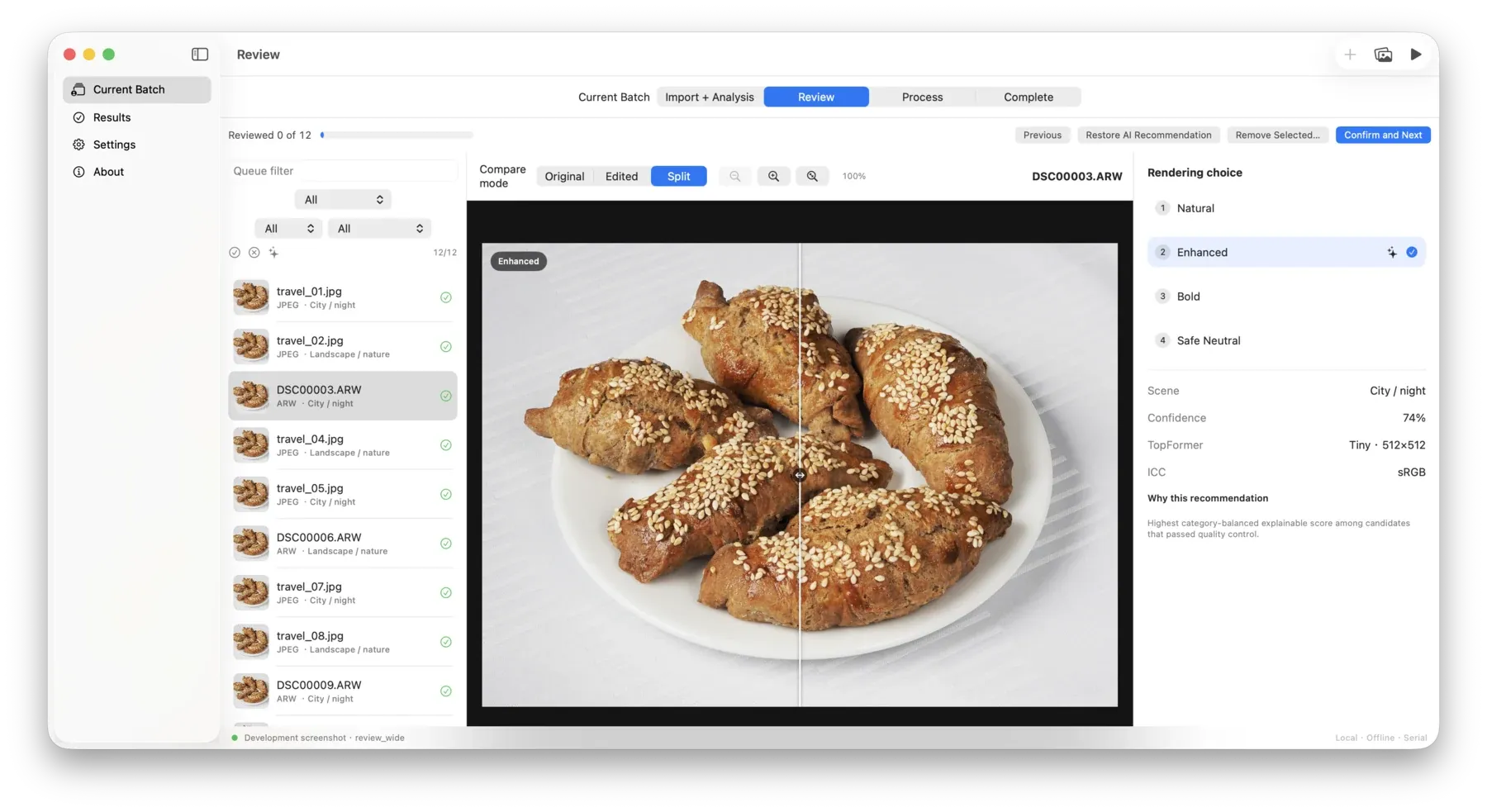
This page records the approved project status and a small set of owner-approved internal artefacts.
The interface and test images are shown as development evidence, not as a public-release or availability claim.
Problem
Explore a photograph’s possibilities, then choose.
SonyRAWAgent brings local image analysis, creative candidates and deliberate review into one workflow. The original stays untouched while the user compares the available results before choosing an output.
Role
A software project alongside my work in education.
I am developing SonyRAWAgent alongside my work in education. The project is a local photo-processing application in development; it is not presented as a public release.
Constraints
Accuracy comes before visual richness.
- PrivacyNo private path, credential, customer or unrelated desktop content.
- EvidenceOnly owner-approved interface and test-output artefacts.
- ReleaseNo user, customer, readiness or availability implication.
- CommerceNo price, sales or checkout surface.
Process
A staged local workflow keeps review visible.
The application analyses a photograph locally and prepares a small set of creative candidates. The user compares previews and selects the result to keep.
A frozen processing plan carries that choice through to a master image and its exports, keeping preview and final processing aligned. Original files remain read-only; the application writes results separately.
Evidence gate
Cinematic Evidence / bounded local treatment
From source photograph to a chosen result.
A mountain encounter, shown before and after processing. Both views retain the complete composition; the result is an owner-approved SonyRAWAgent sample.


These artefacts document an internal development and acceptance state. They do not imply public availability, release readiness or performance at scale.
The evidence boundary remains narrow: internal development artefacts only, with no public-release, download, user, customer, metric or broad performance claim.
Current status
A working Mac application, still internal.
Development-stage local photo-processing application; public-release status not approved.
macOS 2.4 is a runnable personal / internal build with an integrated review interface and processing workflow. Windows remains at the development-handoff stage; a Windows product has not yet been implemented.
Limitations
The case study stops at the verified boundary.
The approved visuals show an interface state and one internal test workflow. They do not establish general output quality, reliability across cameras, public readiness, market demand or commercial availability.
Next steps